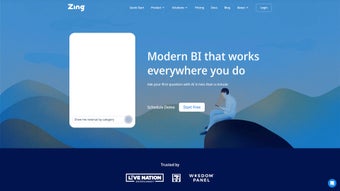

Download Zing Data – Mobile Business Intelligence, Real‑Time Insights, Free Trial
Overview of Zing Data
Zing Data is a mobile‑first business intelligence platform built for companies that need fast, secure, and on‑the‑go access to their data. The solution places natural‑language querying, drag‑and‑drop visual creation, and real‑time alerts directly into the hands of decision‑makers on iOS, Android, or any modern web browser. By consolidating data from PostgreSQL, Snowflake, Google Sheets, and dozens of other sources, Zing Data eliminates the need for multiple dashboard tools and reduces the time spent reconciling reports.
Its lightweight client runs efficiently on smartphones while the heavy query processing occurs in the cloud, guaranteeing responsive performance even on modest devices. The interface adapts to the user’s skill level – a sales rep can simply ask “What were last month’s top‑selling products in the Midwest?” and receive a polished chart, while a data analyst can fine‑tune visual parameters for deeper insight. Location‑aware maps, in‑app collaboration, and role‑based security make the platform suitable for field teams, headquarters, and C‑level executives alike.
In short, Zing Data transforms traditional BI into a seamless, mobile‑centric experience that is secure, fast, and ready for the data‑driven demands of today’s enterprises.
Key Features and Functionalities
- Natural Language Querying: Type or speak questions in plain English and receive instant visual or tabular answers.
- Drag‑and‑Drop Visual Builder: Create dashboards without code by dragging fields onto a canvas, customizing charts on the fly.
- Real‑Time Alerts: Set thresholds on key metrics; receive push notifications the moment data changes.
- Location‑Based Insights: Map visualizations let you query data by geography, ideal for sales territory analysis.
- Collaborative Workspace: Share queries, dashboards, and chat directly within the app for seamless teamwork.
- Multi‑Source Integration: Connect to PostgreSQL, Snowflake, Google Sheets, and other popular data warehouses.
- Smart Visualization Engine: Adaptive charts automatically select the most efficient rendering method, reducing latency.
- Offline Mode (iOS/Android): Cache recent queries so users can view insights without an internet connection.
- Security & Governance: Role‑based access control, SSO, and end‑to‑end encryption protect sensitive data.
- Automatic Updates: New features and security patches are delivered over‑the‑air, keeping the app current without manual effort.
Why These Features Matter
Modern enterprises rely on rapid decision‑making, and Zing Data’s natural‑language engine removes the technical barrier that typically separates business users from data. By converting conversational queries into actionable visualizations, the platform accelerates insight generation and reduces dependency on specialist analysts. The drag‑and‑drop builder empowers power users to prototype dashboards in minutes, encouraging a culture of experimentation and self‑service analytics. Real‑time alerts keep operational teams instantly informed of anomalies—whether it’s a sudden dip in inventory levels or an unexpected traffic spike—so corrective actions can be taken before problems escalate.
The inclusion of location‑based insights differentiates Zing Data for field‑heavy industries such as logistics, retail, and utilities. Managers can visualize performance on interactive maps, quickly pinpoint under‑performing regions, and allocate resources more effectively. Built‑in collaboration tools eliminate the need for external chat platforms, keeping context attached to data discussions. Finally, enterprise‑grade security features—including TLS 1.3, AES‑256 at rest, and granular RBAC—ensure that sensitive information remains protected while meeting compliance requirements.
Installation, Setup, and Compatibility
Step‑by‑Step Installation Guide
Getting Zing Data up and running is designed to be as frictionless as possible, regardless of the device you prefer. Follow these steps to start exploring your data:
- Choose Your Platform: Visit the official Zing Data website and click the download button for iOS, Android, or the web app.
- iOS Installation: Tap the App Store link, press “Get,” and authenticate with Face ID, Touch ID, or your Apple ID password. The app appears on your home screen within seconds.
- Android Installation: Open Google Play, search “Zing Data,” tap “Install,” and wait for the download to finish.
- Web Access: Navigate to zingdata.com using any current browser (Chrome, Edge, Safari, Firefox). No download is required; simply log in.
- Create an Account: Register with your corporate email. If your organization uses SSO (Okta, Azure AD, etc.), select the SSO option to link your credentials automatically.
- Connect Data Sources: Inside the app, go to Settings → Data Sources. Choose from the pre‑configured connectors or add a custom ODBC connection, then test the connection to confirm access.
- Set Up Alerts: Open the Alerts tab, define a metric, set threshold values, and choose notification channels (push, email, Slack).
- Invite Team Members: Use the Collaboration menu to share dashboards or specific queries. Assign roles (Viewer, Editor, Admin) to control access levels.
- Enable Offline Caching (optional): Turn on “Offline Mode” in Settings to store recent queries locally for use when connectivity is limited.
Operating System Compatibility
Zing Data runs natively on the following operating systems:
- iOS 13.0 and later (iPhone, iPad, iPod Touch)
- Android 8.0 (Oreo) and later (smartphones, tablets)
- Web browsers on Windows 10/11, macOS Monterey and later, and major Linux distributions with Chromium‑based browsers
The application uses responsive design, so the UI scales smoothly from a 5‑inch phone screen to a 27‑inch desktop monitor. For enterprises with strict device policies, Zing Data supports Mobile Device Management (MDM) enrollment, enabling IT admins to push updates, enforce encryption, and remotely wipe data if a device is lost or stolen.
System requirements are modest: at least 2 GB of RAM and 150 MB of storage for the mobile apps. The web version only needs a stable internet connection and a modern browser. Because all heavy query processing happens on the server side, the client device does not need powerful hardware, making Zing Data an excellent fit for field teams using budget smartphones or tablets.
Pros, Cons, and Frequently Asked Questions
Pros
- Intuitive natural‑language interface reduces reliance on technical analysts.
- Full mobile support (iOS, Android, web) enables on‑the‑go decision making.
- Real‑time alerts keep teams instantly informed of critical metric changes.
- Robust integration with major data warehouses eliminates data silos.
- Collaborative features (shared queries, in‑app chat) streamline teamwork.
- Secure, role‑based access with SSO and end‑to‑end encryption.
- Smart visualizations automatically optimize performance for large datasets.
- Offline caching ensures access to recent insights without internet.
- Automatic over‑the‑air updates keep the app current without manual effort.
- Responsive UI works equally well on phones, tablets, and desktops.
Cons
- Advanced analytics (predictive modeling, AI‑driven insights) are limited compared to enterprise‑grade BI suites.
- Custom connector development may require developer resources for niche data sources.
- While mobile‑first, the desktop web UI lacks some of the advanced layout controls found in traditional desktop BI tools.
- Free trial is time‑limited; organizations must commit to a subscription for continued use.
- Complex data‑governance policies may need additional configuration beyond the default RBAC.
FAQ – Your Zing Data Questions Answered
Is Zing Data free to use?
Zing Data offers a 14‑day free trial with full feature access. After the trial, a subscription plan (monthly or annual) is required. Pricing varies by user count and data volume, and volume discounts are available for larger teams.
Can I integrate Zing Data with my existing BI tools?
Yes. Zing Data supports exporting dashboards as CSV, PNG, or embed codes, allowing you to embed visualizations in Power BI, Tableau, or custom portals. Data can also be pulled via a REST API for deeper integration.
How secure is my data on Zing Data?
Security is a top priority. Zing Data uses TLS 1.3 for data in transit, AES‑256 encryption at rest, role‑based access control, SSO, audit logging, and complies with GDPR, SOC 2, and ISO 27001 standards.
What types of visualizations are available?
Zing Data includes bar, line, area, pie, scatter, heat‑map, geo‑map, KPI cards, and custom widget options. The smart visualization engine also suggests the optimal chart type based on the underlying data set.
Can I set up automated data refresh schedules?
Absolutely. Data source connections can be scheduled to refresh hourly, daily, or weekly, ensuring that dashboards always reflect the latest information without manual intervention.
Conclusion & Call to Action
Zing Data delivers a modern, mobile‑centric approach to business intelligence that aligns with the way today’s workforce consumes information. Its blend of natural‑language querying, real‑time alerts, collaborative workspaces, and robust security makes it a compelling choice for organizations that want to democratize data access without sacrificing governance. While it may not replace heavy‑duty predictive‑analytics platforms, Zing Data excels at providing fast, actionable insights wherever users are located—on a smartphone during a sales call, on a tablet in a warehouse, or on a laptop in the executive suite.
If you are ready to empower your team with instant answers and reduce the bottleneck of traditional reporting, download Zing Data today. Start with the free trial, connect your data sources, and experience how a few taps can transform raw numbers into strategic decisions. For larger deployments, contact the Zing Data sales team for volume pricing and enterprise onboarding assistance. Take the first step toward a more agile, data‑driven organization now.
Overall rating: 4.6/5 – Zing Data offers a powerful, user‑friendly mobile BI experience that meets the needs of modern businesses.



.png)



